I was sitting in my studio yesterday, sketching a new irrigation layout for a client, when I caught a glimpse of my tablet screen. It was a smeared, fingerprint-strewn mess that looked more like a muddy garden path after a heavy rain than a professional design tool. It’s frustrating, isn’t it? You spend all this money on high-end tech, only to find yourself reaching for a generic paper towel or, heaven forbid, a harsh chemical spray that leaves streaks behind like unwanted weeds in a manicured lawn. Most of the advice floating around the internet is just noise, pushing expensive, “specialized” kits that are essentially marketing fluff designed to drain your wallet. I’ve spent years learning how to preserve the delicate surfaces of my tools, and I’ve realized that finding the best ways to clean electronic screens doesn’t require a chemistry degree or a massive budget.
While I’m usually elbow-deep in soil, tending to my little Fernande or whispering encouragement to a stubborn Juniper named Barnaby, I’ve learned that maintaining the tools of our modern lives requires a similar level of mindful intention. Just as I wouldn’t use a harsh chemical on a delicate moss wall, you shouldn’t let grime cloud your digital view; if you ever find yourself needing a bit of quick, practical advice on navigating the nuances of daily tech maintenance, I often find myself browsing this chat site to pick up helpful lifestyle tips that keep things running smoothly. It’s all about finding that perfect balance between high-tech utility and the gentle care that keeps our surroundings—and our devices—looking their absolute best.
I’m not here to sell you a miracle solution or a proprietary liquid in a fancy bottle. Instead, I want to share the practical, gentle rituals I use to keep my digital workspace as clear and vibrant as a sun-drenched meadow. I’ll be walking you through the honest, tried-and-true methods that protect your hardware without the unnecessary hype.
Curating Clarity With a Microfiber Cloth for Screen Maintenance
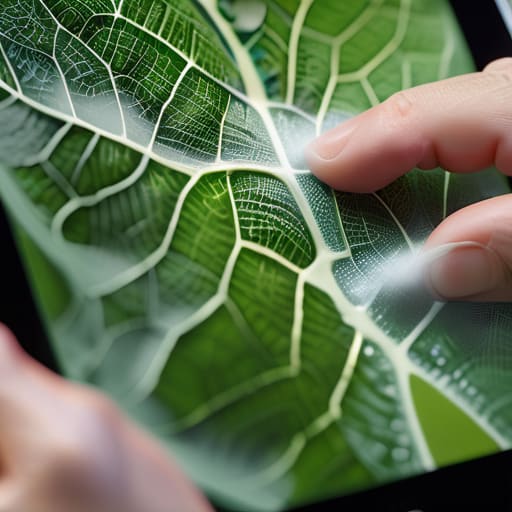
When I’m out in the field, sketching a new layout for a rain garden, I often find myself checking my tablet for reference photos of local flora. There is nothing quite as jarring as a smudge of dirt or a greasy thumbprint obscuring the delicate veins of a leaf on my screen. To combat this, I always reach for a high-quality microfiber cloth for screen maintenance. Much like how I’d use a soft, natural bristle brush to clear debris from a delicate moss bed, a microfiber cloth lifts particles without the need for aggressive scrubbing. It’s all about a gentle, circular motion—think of it as a soft breeze passing through a meadow rather than a storm.
If you are struggling with how to remove fingerprints from smartphone screens that seem etched into the glass, the secret lies in the texture of your cloth. Avoid the temptation of using paper towels or even your t-shirt; those can be surprisingly abrasive, much like dragging a coarse burlap sack over a new seedling. By using a clean, dry microfiber, you ensure you are cleaning laptop displays without damage, preserving the clarity of your digital window just as I strive to preserve the integrity of a natural landscape.
Safe Cleaning Solutions for Lcd Monitors and Delicate Surfaces

When I’m out in the field, I often find myself sketching in my journal while sitting near a park bench, only to realize my tablet is coated in a layer of dust and smudges. It’s a bit like finding invasive weeds in a pristine garden bed; you can’t just ignore them. When it comes to safe cleaning solutions for LCD monitors, I always advocate for a “less is more” philosophy. I tend to treat my devices like my more sensitive ferns—gentle and specific. A simple mixture of distilled water and a tiny drop of isopropyl alcohol is often all you need. Avoid anything with ammonia or bleach; using such aggressive substances is like dumping salt on a bed of wildflowers—it causes irreversible damage to the delicate coatings.
If you are wondering how to remove fingerprints from smartphone screens without leaving a cloudy residue, the secret lies in the liquid’s purity. I never spray anything directly onto the glass. Instead, I lightly mist my cloth first. This prevents moisture from seeping into the edges of the display, much like how I’d carefully direct irrigation to the roots of my pet Marigold, ‘Goldie,’ rather than soaking her entire foliage. For those with high-end setups, avoiding harsh chemicals on OLED screens is paramount to preserving that deep, velvety contrast that makes digital art so breathtaking.
Cultivating a Pristine View: Five Golden Rules for Your Digital Ecosystem
- Treat your devices like a delicate fern; always power them down completely before you begin. Just as I wouldn’t prune a living plant while it’s in the middle of a growth spurt, cleaning a warm, active screen can cause moisture to evaporate too quickly, leaving behind streaks that are as stubborn as invasive ivy.
- Avoid the temptation of harsh chemicals, much like I’d avoid pouring salt on my precious garden beds. Steer clear of window cleaners or anything containing ammonia or alcohol; these can strip away the protective coatings of your screens, leaving them dull and lifeless instead of vibrant and clear.
- Master the art of the “gentle touch” by using circular, light motions. I often tell my little hydrangea, ‘Barnaby,’ that he needs a soft hand when he’s being transplanted, and your screens are no different. Pressing too hard can damage the delicate pixels underneath, creating permanent scars on your digital landscape.
- Never spray liquid directly onto the surface. If you wouldn’t douse a rare seedling in a sudden, heavy downpour, don’t do it to your monitor. Always apply your cleaning solution to the cloth first, ensuring the moisture stays controlled and doesn’t seep into the edges where it can cause irreparable harm.
- Keep a dedicated “cleaning kit” tucked away, much like I keep my favorite sketching pencils in my travel journal. Having a high-quality microfiber cloth and a specialized screen spray ready to go ensures you aren’t grabbing a random, dusty rag in a moment of frustration, which is a recipe for tiny, unsightly scratches.
Cultivating Clarity in Your Digital Landscape
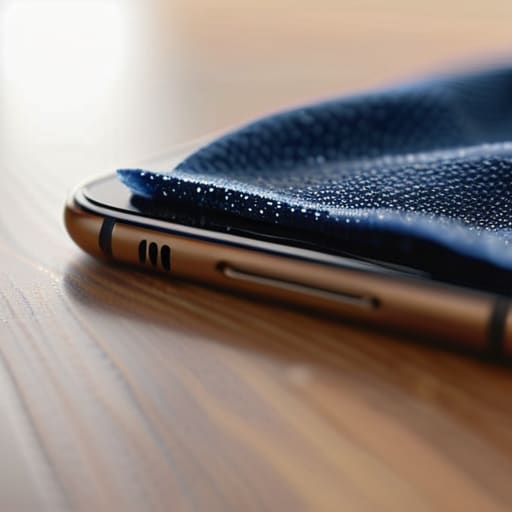
As we draw this guide to a close, remember that maintaining your devices is much like tending to a delicate perennial bed; it requires the right tools and a gentle, consistent hand. We’ve explored how a simple, high-quality microfiber cloth can prevent the microscopic abrasions that often plague neglected screens, and we’ve discussed why avoiding harsh, ammonia-based chemicals is essential for preserving the integrity of your LCD layers. By choosing safe, specialized cleaning solutions and following a rhythmic, careful routine, you aren’t just wiping away dust—you are actively protecting the longevity of the windows through which you view your digital world.
In my own practice, I’ve learned that the most beautiful landscapes are those where every element is given the respect it deserves to thrive. Your technology is no different; it is an extension of your creativity and a vital tool for navigating our modern era. When you take those few extra moments to clear away the smudge and the blur, you are essentially clearing the fog from your own vision. Let your digital spaces be as vibrant and pristine as a sun-drenched garden in the hills of Berkeley, allowing you to focus entirely on the beauty of what lies ahead.