Let’s be honest: most of us spend more time organizing our work than actually doing it. We fall into this endless loop of downloading every new tool that promises to fix our lives, only to end up with a cluttered phone and a sense of even greater chaos. It’s exhausting to feel like you’re constantly running on a treadmill, moving fast but staying in the exact same place. Finding the best productivity apps isn’t about adding more noise to your digital life; it’s about finding those rare, streamlined tools that actually cut through the bullshit and let you focus on what matters.
I’ve spent way too many hours testing software that promised the world but delivered nothing but distractions. I don’t want to waste any more of your time with that kind of fluff. In this post, I’m stripping away the hype to give you my personal shortlist of five essential tools that actually move the needle. You’re about to discover a curated toolkit designed to reclaim your focus, kill the busywork, and finally get your brain back in the driver’s seat.
Table of Contents
Notion: The All-in-One Brain Dump

Let’s be real: my brain is basically a sieve, and Notion is the only thing keeping my life from completely unraveling. It’s not just a note-taking app; it’s more like a digital second brain where I can dump everything from grocery lists to complex project roadmaps. The beauty of it lies in the flexibility, allowing you to build a custom workspace that actually fits how your mind works instead of forcing you into a rigid structure.
Todoist: For the Obsessive List-Maker

If you’re the type of person who gets a weirdly high from crossing things off a list, Todoist is your new best friend. It’s incredibly stripped-back and fast, which is exactly what you need when you’re in the middle of a flow state and just need to capture a thought before it vanishes. There’s no fluff here, just a clean interface that lets you get in, log the task, and get back to work.
Forest: Gamifying Your Focus
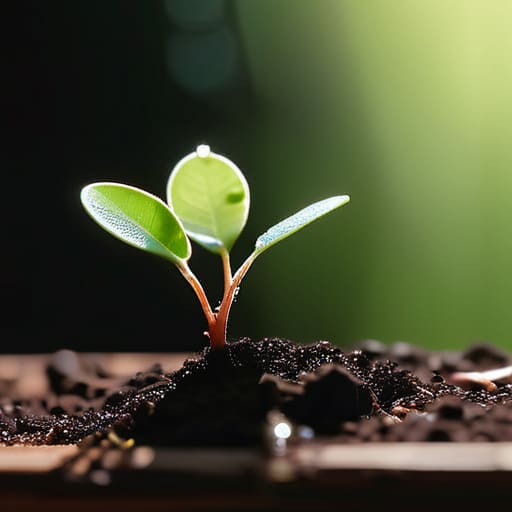
We’ve all been there—you sit down to work, and suddenly you’ve spent forty-five minutes scrolling through mindless social media feeds. Forest is my personal “nuclear option” for breaking that digital addiction. The concept is deceptively simple: you plant a virtual seed, and if you stay off your phone for a set amount of time, that seed grows into a beautiful tree. But if you leave the app to check Instagram? Your little tree withers and dies.
Obsidian: For Deep Thinkers and Connectors
Obsidian is a bit of a different beast compared to your standard productivity tools, and it definitely has a steeper learning curve. It’s designed for people who don’t just want to store information, but want to connect ideas. It uses a “graph view” that shows how different notes link to one another, creating a web of knowledge that grows more complex the more you use it.
Trello: Visualizing the Chaos
Sometimes, seeing a list of text just isn’t enough to help you wrap your head around a project. That’s where Trello comes in, using its classic Kanban board style to turn your workflow into a visual journey. You can see exactly what’s “To Do,” what’s “In Progress,” and what’s “Done” just by dragging cards across the screen. It’s incredibly satisfying to physically move a task to the finish line.
The Bottom Line
Don’t fall into the “productivity porn” trap—an app is only useful if it actually saves you time, not if it just gives you something new to fiddle with.
Pick one tool for your tasks and one for your calendar, then stop searching; tool fatigue is the fastest way to kill your momentum.
Perfection is the enemy of progress; start using whatever tool feels the least annoying right now and refine your system as you go.
The Hard Truth About Your Toolstack
“The goal isn’t to find the perfect app that magically fixes your life; it’s to find the tools that get out of your way so you can actually do the work that matters.”
Writer
The Bottom Line
Look, there is no magical “god tier” app that is going to fix your life overnight. Whether you decide to lean into the deep focus of a task manager, the organized chaos of a digital notebook, or the streamlined automation of a workflow tool, the goal remains the same: clearing the mental clutter. You don’t need every single tool on this list to be successful; in fact, trying to master five different platforms at once is a fast track to digital burnout. Pick one that actually clicks with your brain, master it, and let the software do the heavy lifting so you can focus on the work that actually matters.
At the end of the day, these apps are just tools in your kit—they aren’t the craftsman. It is incredibly easy to fall into the trap of “productive procrastination,” where you spend more time tweaking your settings and color-coding your folders than actually doing the work. Don’t let the pursuit of the perfect setup become a way to avoid the hard stuff. Use these tools to build momentum, but remember that true productivity is about the output, not the aesthetic of your dashboard. Now, close this tab, pick a task, and just get started.
Frequently Asked Questions
How do I stop myself from spending more time organizing my apps than actually doing the work?
The “productivity trap” is real, and it’s usually just procrastination in a fancy suit. You aren’t working; you’re rearranging digital furniture to feel productive without the actual risk of failing at a task. My rule? If you spend more than ten minutes setting up a tool, you’ve already lost. Pick one app, stick to a basic setup, and start the actual work. Perfection is the enemy of progress. Stop tweaking and start doing.
Is it worth paying for premium subscriptions, or are the free versions usually enough to get by?
Look, don’t go throwing money at every shiny icon you see. Start with the free versions—they’re usually more than enough to build your foundation. Only pull the trigger on a subscription when you hit a literal wall, like running out of storage or needing a specific automation that saves you an hour a day. If the “Pro” features aren’t actively buying you back your time, they’re just expensive clutter.
How do I pick just one system without getting overwhelmed by "app fatigue"?
The secret is to stop looking for the “perfect” app and start looking for the right friction level. If an app feels like a chore to set up, ditch it. Pick the simplest tool that solves your most immediate headache—whether that’s a messy calendar or a chaotic to-do list—and commit to it for two weeks. Don’t hunt for features; hunt for flow. Once you find what sticks, let the rest of the shiny objects fade away.
